

Todo List Guide
Use the PaperCheck Todo List to prioritize revisions, track fixes, and improve papers efficiently across review cycles.
Todo List Guide: Prioritize Academic Paper Revisions
Receiving a comprehensive, multi-page feedback report on an academic paper can be incredibly overwhelming. When you are staring down a deadline with hundreds of linguistic, structural, and formatting suggestions, it is difficult to know where to begin.
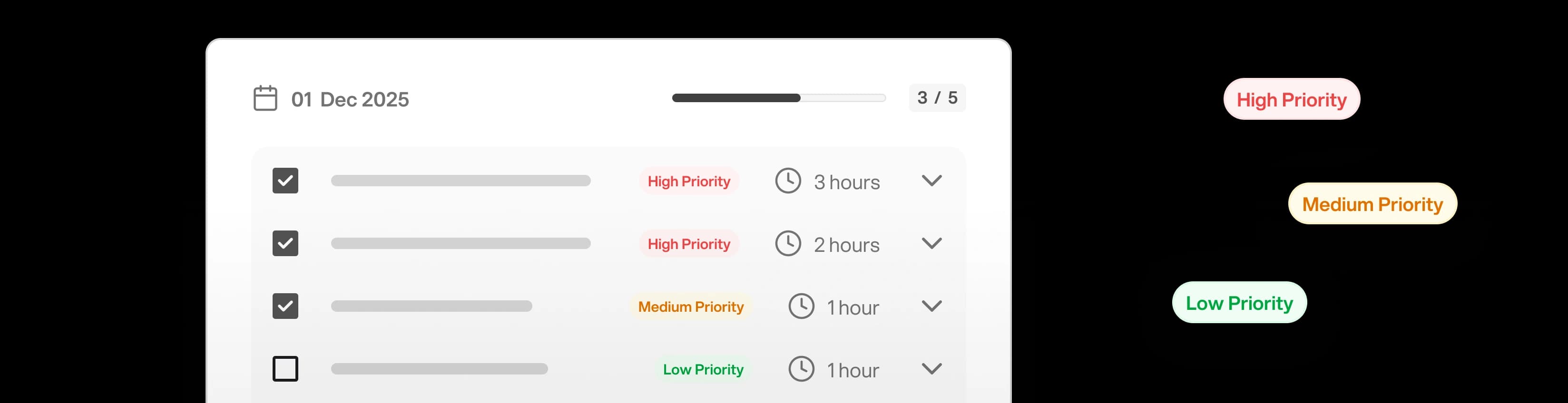
PaperCheck solves this exact problem with the Interactive Todo List. Instead of handing you a static document to read through, the AI Supervisor automatically extracts all necessary corrections and categorizes them into a structured, actionable checklist.
How the Todo List Categorizes Revisions
After the initial analysis, the AI intelligently groups its feedback into logical, thematic categories. This allows you to tackle revisions systematically, rather than jumping frantically between spelling errors and structural issues.
Typical categories include:
- Structural and Thematic Issues: Address the big-picture problems first. These tasks might involve clarifying your central thesis statement or smoothing out a jarring transition between two major chapters.
- Citation and Reference Fixes: Grouped together so you can focus entirely on fixing your bibliography and in-text references in one concentrated burst.
- Formatting Compliance: Tasks related to margins, specific spacing requests, or custom checks you define.
- Style and Academic Tone: Granular suggestions for elevating your vocabulary.
- Grammar, Mechanics, and Spelling: The most numerous but fastest tasks to complete, saved for the polish phase.
Managing Your Revision Workflow
The Todo List is designed to mirror the workflow of professional academic editors.
1. Expand for Contextual Details
You shouldn't have to guess what a task means. Triaging is easy: click on any top-level task to expand it. Inside, you will see:
- The Original Text: Your exact sentence, directly quoted.
- The Specific Issue: A clear explanation of what is academically incorrect or problematic about it.
- The Suggested Solution: The AI's proposed "Before and After" fix.
2. Verify and Apply the Changes
With the Todo List open on one side of your screen and your original document (Word, LaTeX, Pages) open on the other, you can rapidly implement the AI's suggestions. Because the AI preserves the context of the error, finding the specific sentence in your document takes only seconds.
3. Check Off Completed Tasks
There is a profound psychological benefit to checking items off a list. As you implement changes in your original document, return to PaperCheck and check the box next to the corresponding task. This visually strikes the item from the list, helping you track exactly what you have completed and what remains to be done.
4. Monitor Your Progress Bar
As you complete tasks within a category, a visual progress bar updates in real-time. This gamifies the revision process slightly, giving you a clear, quantitative sense of how close you are to finishing your final draft and hitting submit.
Using the Todo List ensures that you do not accidentally miss any of the AI's valuable feedback, turning a potentially stressful all-night revision session into a highly controlled, step-by-step workflow.
How is this guide?