

Custom Checks Guide
Create custom checks to enforce university formatting rules, citation requirements, and thesis-specific quality standards.
Custom Checks Guide for Academic Formatting Rules
While PaperCheck comes pre-loaded with comprehensive rules for grammar, standard academic tone, and recognized citation styles (like APA, MLA, and Harvard), the reality of academia is that every institution, faculty, and even individual professor has their own unique set of idiosyncratic rules.
Perhaps your institute requires that all primary sources be bolded in the bibliography. Maybe your professor insists on a specific margin format that isn't standard, or requires the usage of a specific industry acronym whenever referencing a concept.
This is where the true power of Custom Checks comes in.
What is a Custom Check?
A Custom Check is a highly personalized rule that you explicitly tell PaperCheck to evaluate during its analysis of your paper. Instead of relying only on the built-in global checks, you can define the exact micro-rules that must be verified, effectively turning PaperCheck into an expert on your specific university's formatting guide.
How to Create a Custom Check
Creating a Custom Check is designed to feel as simple as leaving a natural-language instruction for a human editor.
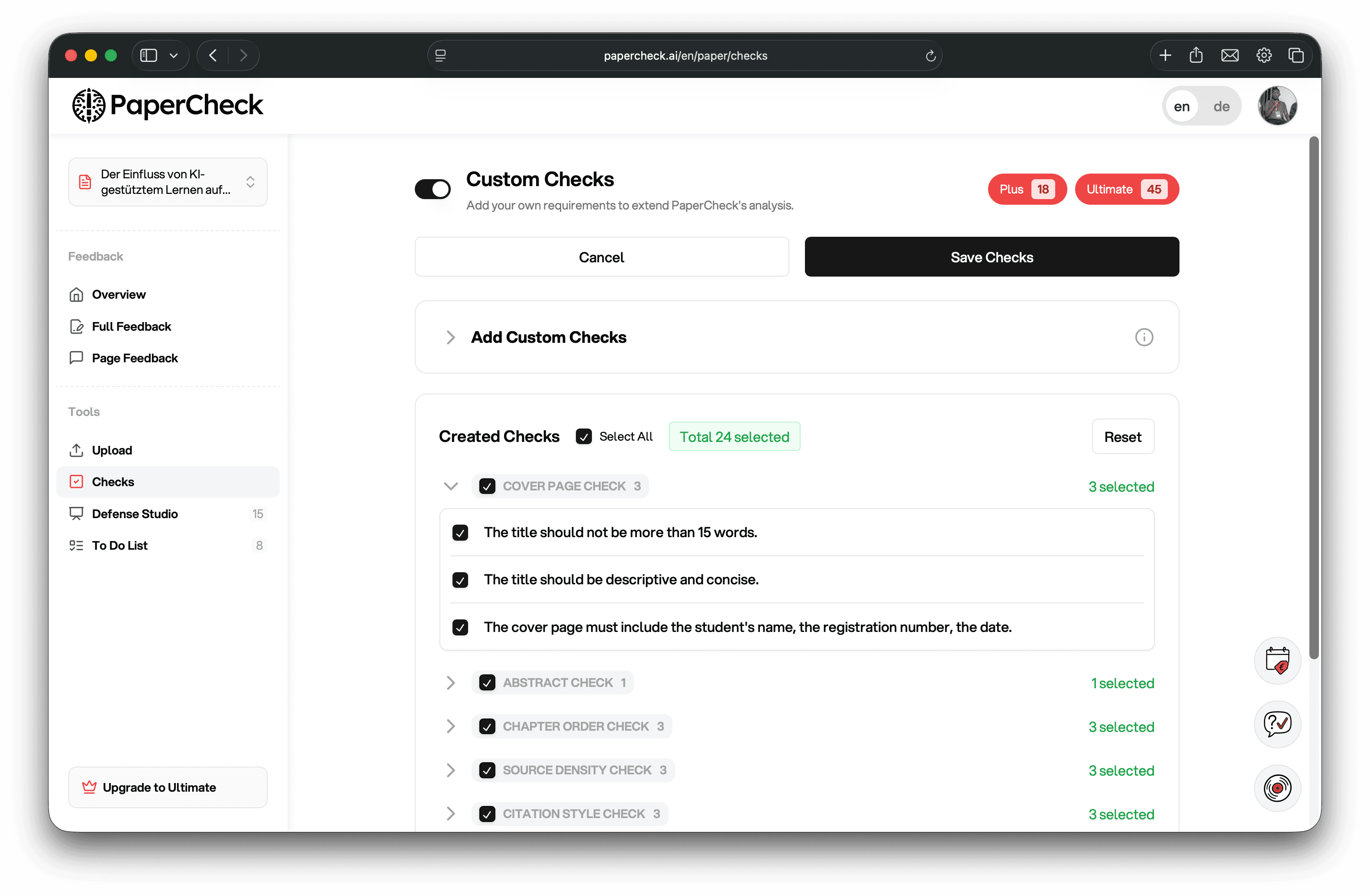
- Navigate to the Checks Tab: Once you are inside your Analysis view, find the "Checks" or "Custom Checks" section in the navigation sidebar.
- Initiate a New Rule: Click on the button to create a new Custom Check.
- Name the Rule: Give your check a clear, descriptive name (e.g., "Verify Acme Corp Trademark" or "Bold Primary Source Authors"). This name will appear on your results dashboard.
- Define the Prompt: Write out the exact rule you want PaperCheck to follow. The more specific you are, the better the result will be.
- Weak Prompt: "Check the acronyms."
- Strong Prompt: "Please verify that every time the company 'Acme Corp' is mentioned, it is capitalized correctly and immediately followed by the trademark symbol (™)."
Applying and Reviewing Custom Rules
Once you save your Custom Check, it becomes active. PaperCheck will immediately apply this new rule to your currently active paper analysis, as well as to future papers you upload to the same workspace.
You can view the results of these Custom Checks on your Analysis Overview page, integrated alongside the standard system checks. If PaperCheck detects any violations of your custom rule, it will highlight them in the results, explain exactly where the rule was broken, and suggest how to format it correctly according to your instructions.
Custom Checks give you absolute confidence that even the most obscure formatting requirements of your syllabus are perfectly adhered to before submission.
How is this guide?